Project Creation page
Project creation is available on the Projects page with the New project button.
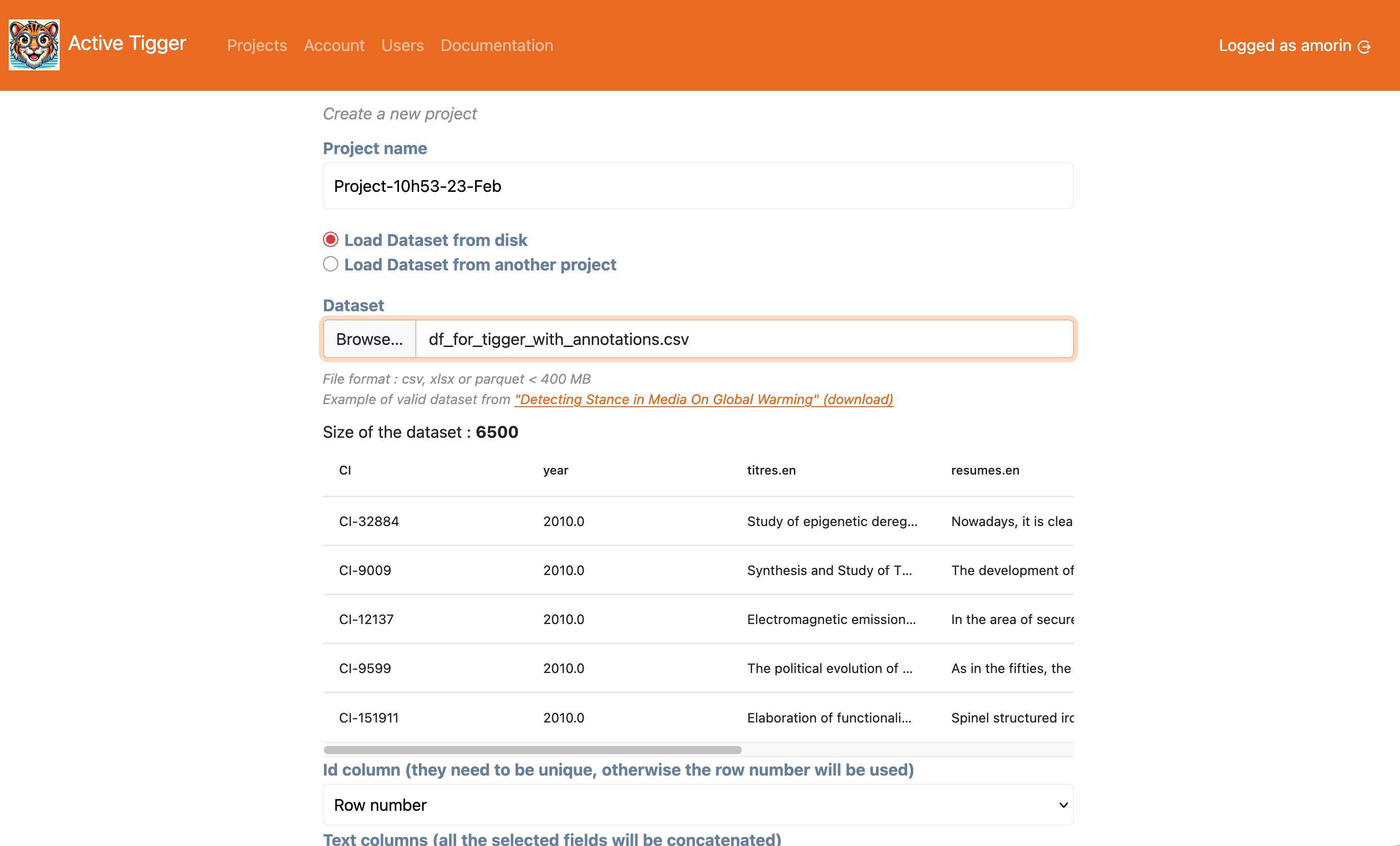
Primary parameters
These parameters define the general project, only a subset can be modified after this step (indicated with ⚙️).
- ⚙️ Project name: Unique name to identify the project.
- Dataset: The data that will be used in the project. Can be uploaded:
- By a user, in Parquet, CSV or XLSX file format within size limits defined by the administrator.
- From another project (to which the user has access)
- Id column: column with a unique identifier.
- ⚙️ Text column(s): The column(s) to use as text input (the text elements that will be annotated). If several columns are selected, their content will be concatenated using two line-breaks as a separator.
- ⚙️ Language of the corpus: General parameter used to suggest which models to use in the treatment. It is possible to work on languages not present in this list.
- ⚙️1 Column(s) for existing annotations: Load existing annotations. Each column is converted to a new scheme.
- ⚙️ Column(s) for contextual information: Information available to display in the annotation page.
- ⚙️2 Number of elements in the train set: Sample of the general dataset used as train set
- ⚙️3 Number of elements in the validation set (optional): Sample of the general dataset used as validation set. Used for evaluation. This sample is randomly selected from the initial dataset before the train set.
- ⚙️4 Number of elements in the test set (optional): Sample of the general dataset used as test set. Used for evaluation. This sample is randomly selected from the initial dataset before the train set.
After setting the compulsory parameters, clicking the "Create" button will redirect you to the Codebook page (or the Annotate page if you have selected column(s) for existing annotations).
Secondary parameters
Available in the "Advanced options" panel to configure specific treatments.
- Split by existing column: Split the data between train, validation and test sets by selecting an existing column whose values are "test", "valid", or "train". Other values (NA) are ignored. If a column is selected, other split options are disabled.
- Select rows at random: If set to
True, the train, validation and test sets will be created by picking elements at random. IfPrioritize existing labelsis set toTrue, this parameter is ignored. - Prioritize rows with a label: When loading existing annotations, prioritize annotated elements when selecting the train set. If there are not enough elements annotated to create all three sets, random elements will be picked.
- Stratify train set: Force the stratification for the trainset. If
Prioritize existing labelsis set toTrue, this parameter is ignored. - Stratify test set: Force the stratification for the test set. If
Prioritize existing labelsis set toTrue, this parameter is ignored. - Column(s) used for stratification: If
Stratify train setand/orStratify test set, the stratification will use the selected columns. IfPrioritize existing labelsis set toTrue, this parameter is ignored. - Drop annotations for testset: If set to
Trueand columns have been selected for existing annotations, the annotations of elements in the testset will be dropped. - Compute sentence embeddings: If set to
True, upon creating the project, sentence embeddings for the text inputs in the train, validation and test sets will start using Sentence BERT - Seed: The seed used for all random operations in the project.
-
This parameter cannot be updated per se, but you can import annotations in the Import tab in the Settings page ↩
-
You can add N rows to your dataset in the Parameters tab in the Settings page but the rows selected will not follow the stratification rules you set up. We recommend importing larger datasets than you plan to annotate rather than importing new rows afterwards. ↩
-
This parameter cannot be updated per se, but you can drop the validation set and import a new one in the Import tab in the Settings page ↩
-
This parameter cannot be updated per se, but you can drop the test set and import a new one in the Import tab in the Settings page ↩